Copy the whole page for your agent
Paste it into Claude Code or Codex and ask it to set this up for you.
People are thinking about AI completely wrong. For creatives, it’s probably the best thing that’s ever happened, especially for people who are working independently and doing work on their own terms.
As a self-employed independent creative, I’ve always been held back by either time or access to resources that can help me expand my reach. But with AI, especially if you’re using it right and in the flow of how you actually want to create, this is an incredible time to be an independent creator.
1. Building massive personal context
I mostly work with AI in coding agents, which means Claude Code or Codex. I organize my work into a bunch of local folders, and each of these is what’s called a repo.
I’ll sometimes mirror those folders on GitHub, but across all these folders, it has context on almost everything I’m working on. I spent time up front gathering a lot of the things I’ve created over the years: my books, my podcasts, my writing, and my notes from apps like Readwise. It has access to the transcripts of any videos, all my newsletter posts, all my writing, all my tweets, everything, which means I can pull on that to create content in interesting ways.
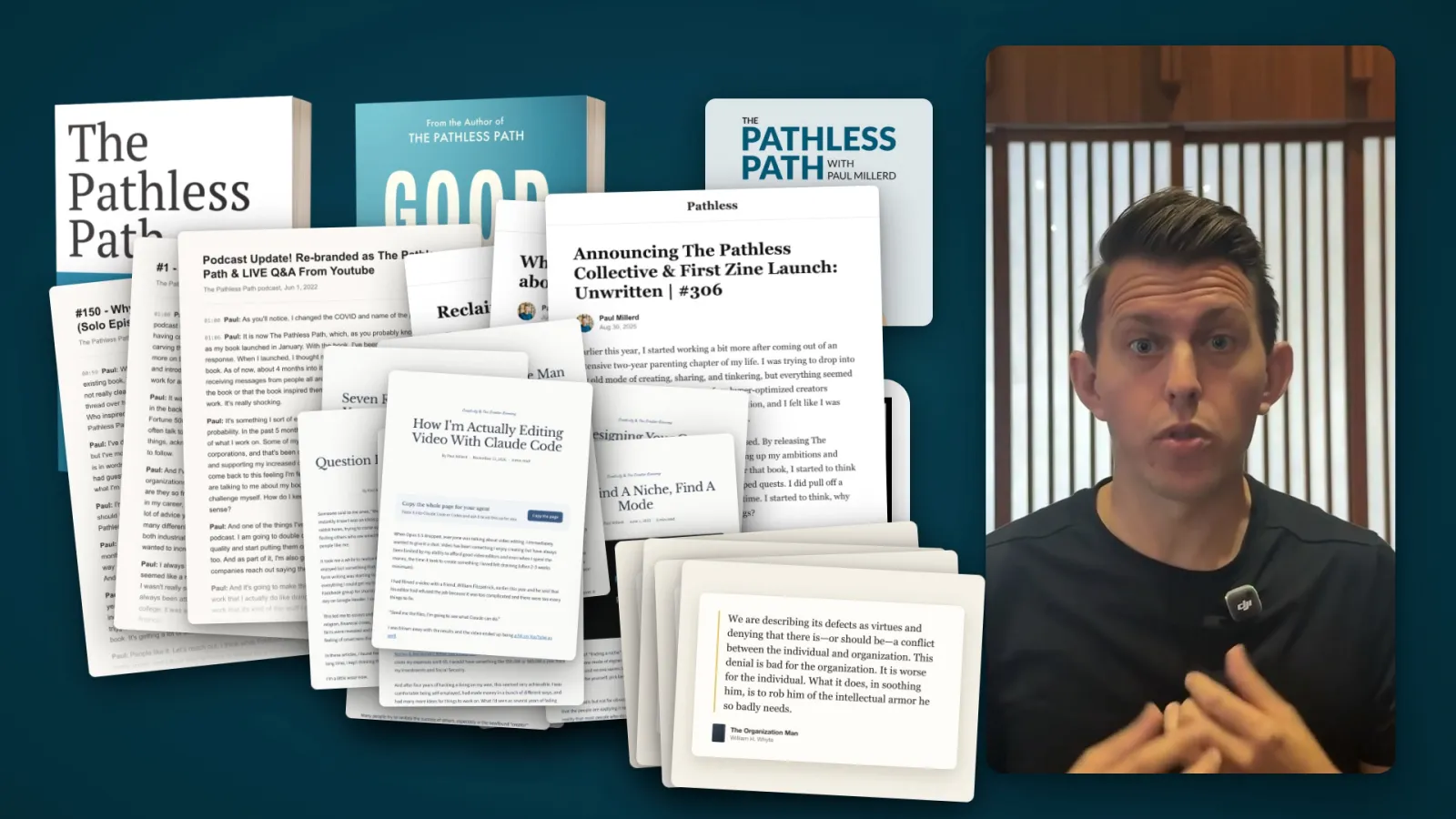
As an independent author, the biggest limit on people seeing my work or buying my book is them knowing it exists.
In the past, people who had enormous financial resources, or connections to major institutions that could share their work, had an enormous advantage over people like me. Now I can create across many different domains, because I can say: you see this article I created? Can you help me repurpose it into a carousel for Instagram and a post for YouTube, and even chop up a video I can turn into a Short and put across many different platforms?
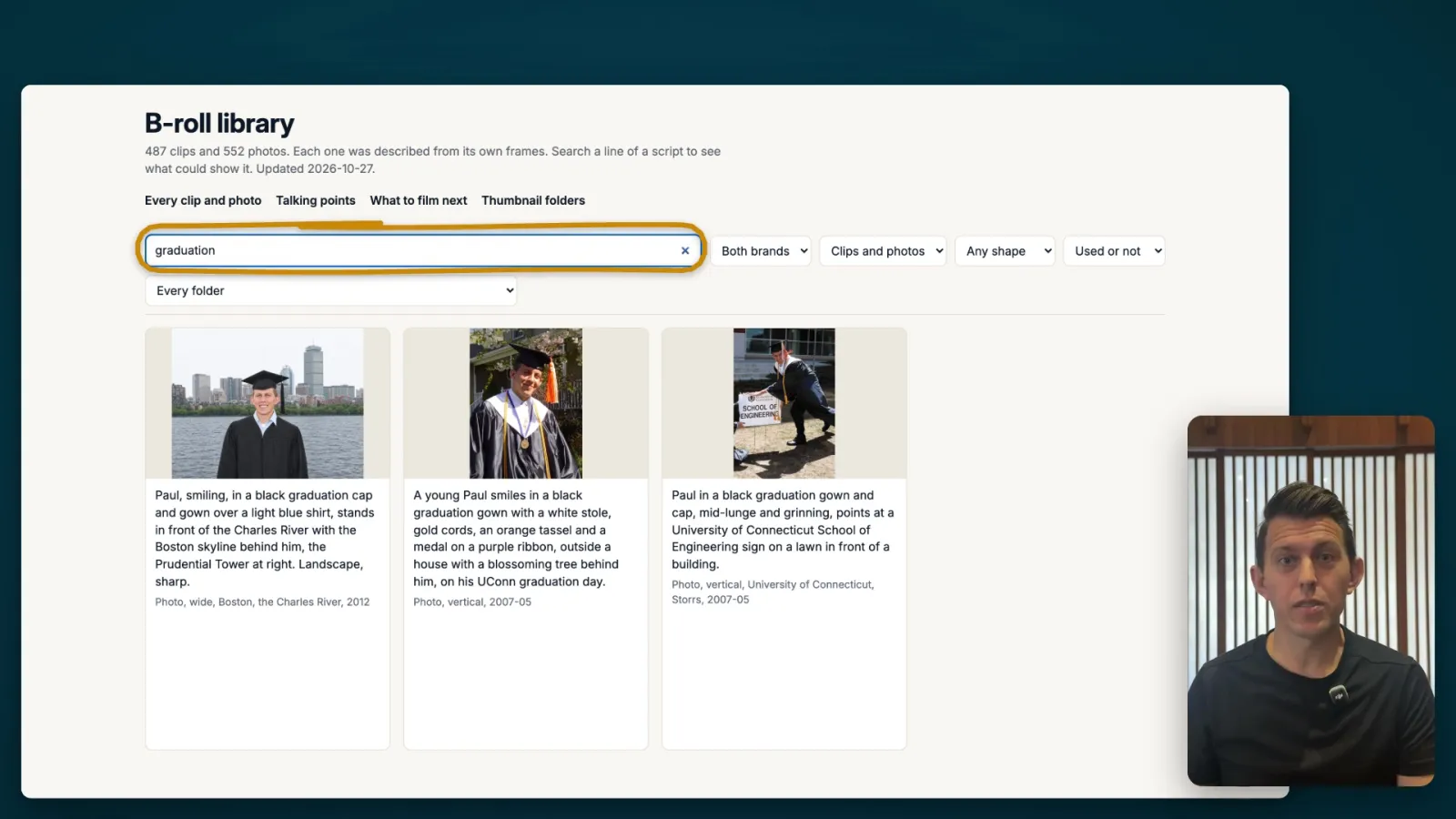
As I started creating videos, one thing I was always limited on was that I never had interesting b-roll, the images or videos of you that you can drop into videos. The limit on that was me spending tons of days organizing, processing and batching information.
AI makes this easy, so I had it go through all my Dropbox photos and my past podcast clips and told it to find videos and photos of me, tag them, give them a description, and that we’d use them in future videos. It went through them, created a dashboard for me, and also created a searchable database where I could say yes, accept this one, use this one, don’t use this one. It even has times and dates on them, so when I say something in a video like when I was graduating from business school in 2012, it can pop up the right photo.
2. Building personal software
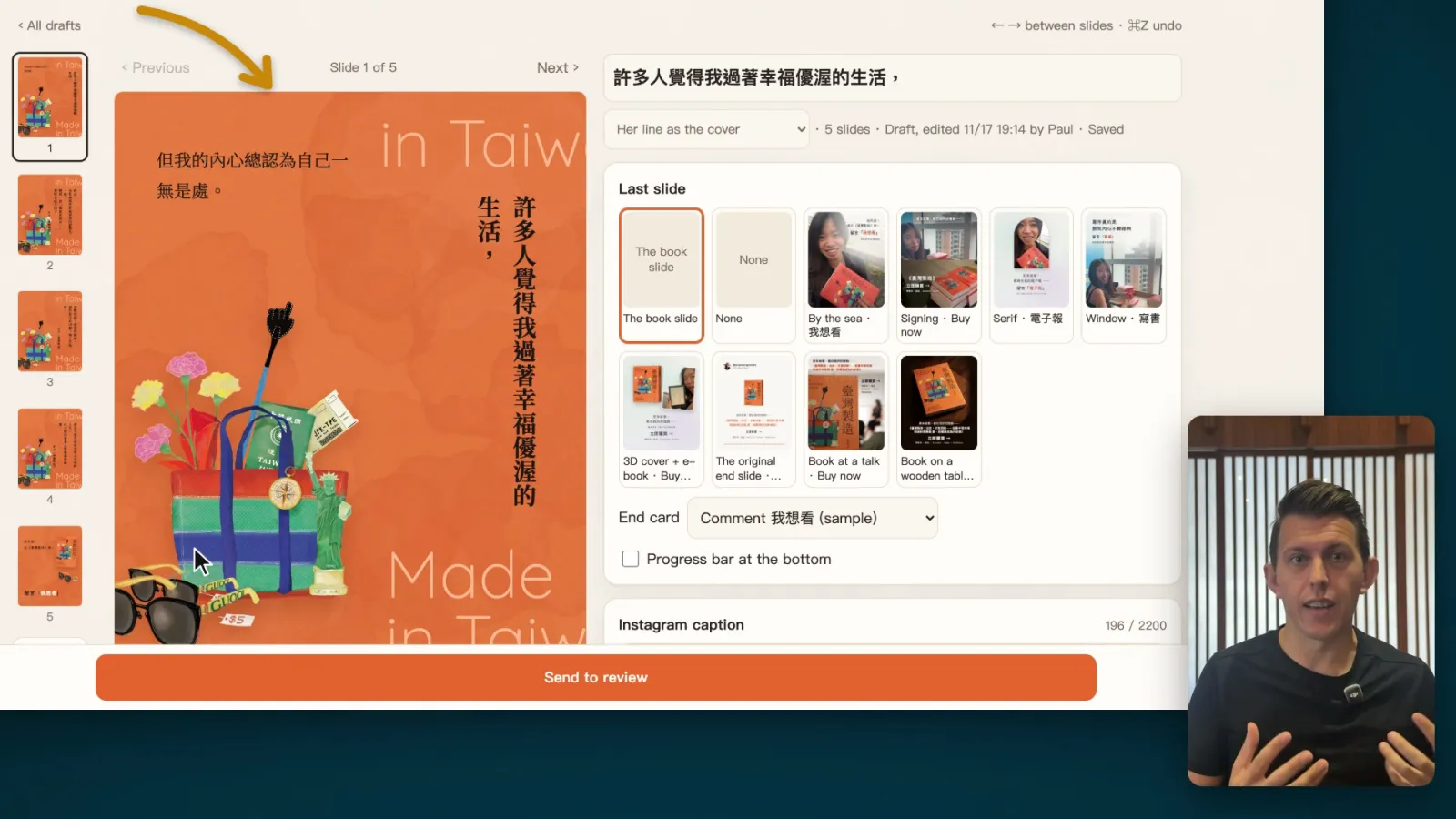
You can create your own software to work in the ways you actually want to work. The big unlock for me was designing tools for my wife, Angie, who’s an author and creates a lot of stuff in both Chinese and English. A lot of software does not work well for people working in Chinese.
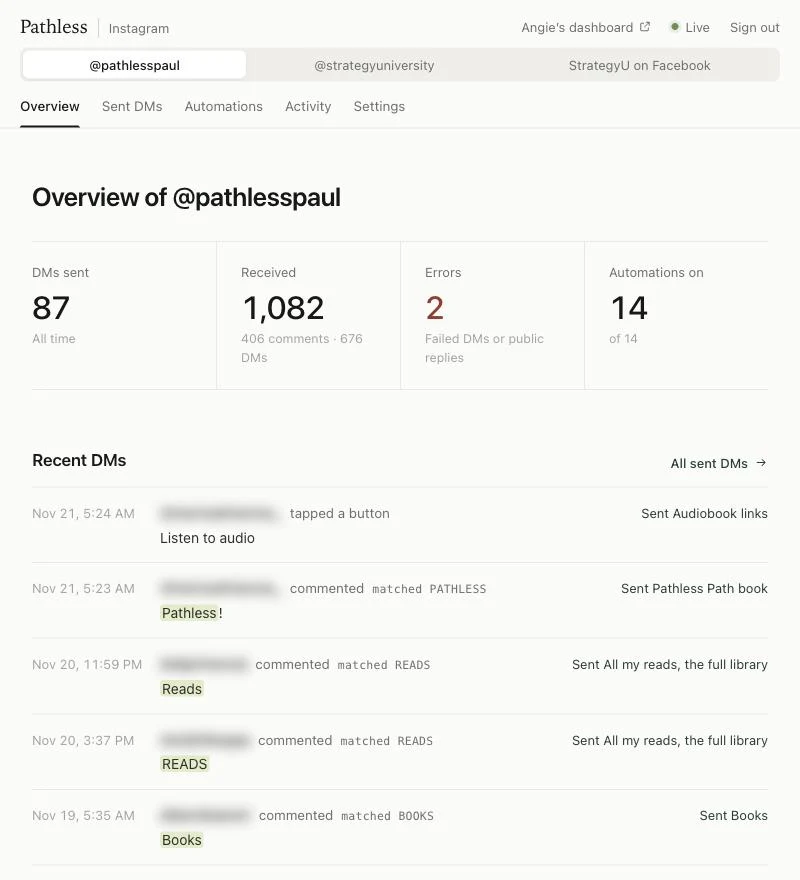
She also doesn’t like playing with all the technical details, and on top of that, she doesn’t like going into apps like Instagram, because she often gets a little addicted to the scroll before she ends up posting anything. So I created a custom dashboard for her where she can create content from scratch that matches what she actually wants to do. I’ve made it fun and easy for her. It also connects a bunch of things on the back end, and the automated scheduling tool I use, Post Bridge, is automatically plugged into it.
She can also create reels and images from scratch. We’ve pre-created templates that match how her book is designed and the designs she likes, so that when she logs in, it’s a space she’s excited to create in.
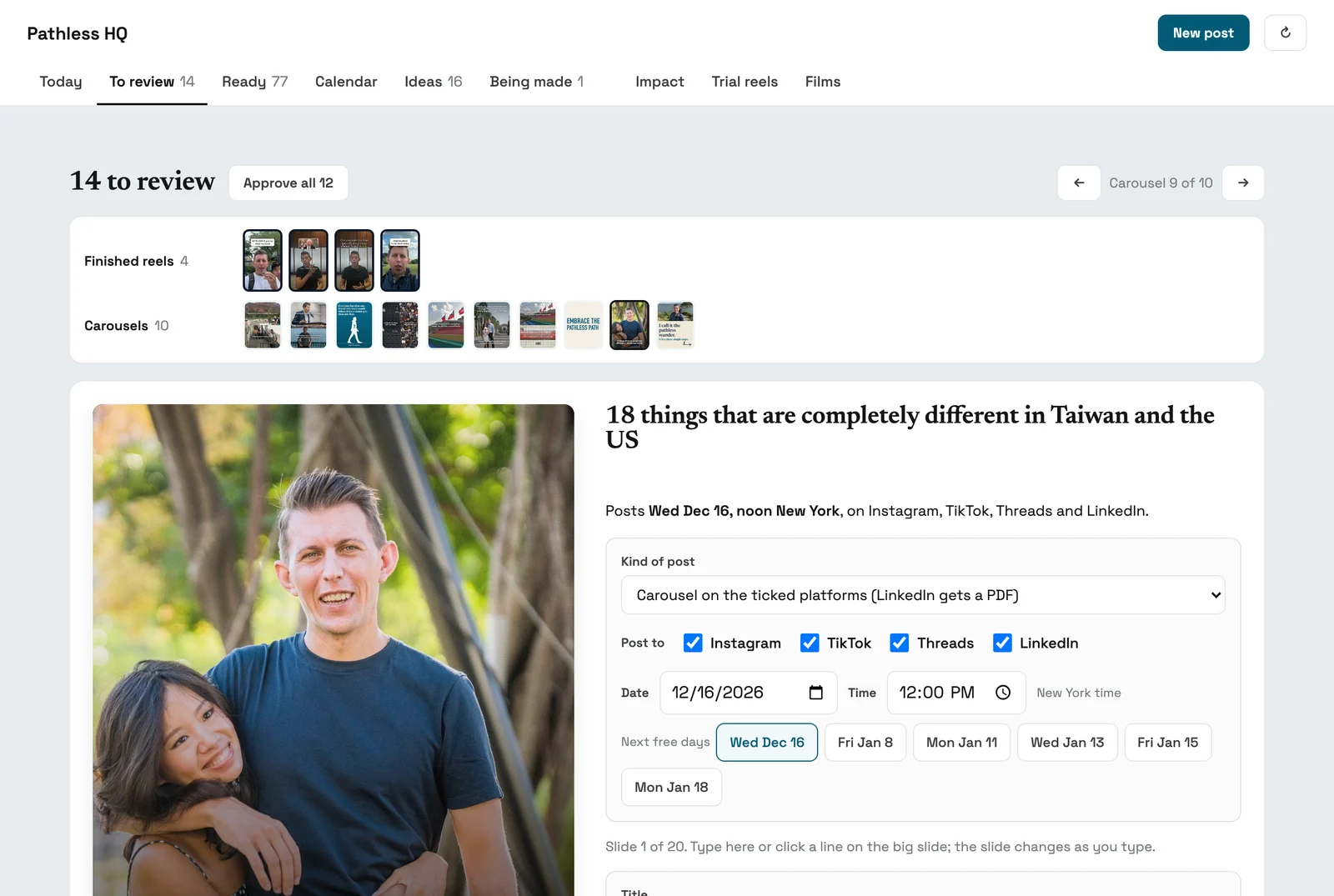
I’ve also created a personal dashboard for myself. There’s an ideas section with past tweets I might want to repackage as carousels or videos. I can create stuff from scratch, and it has a bunch of templates it’s created for me. I can create single images, and I can also create full carousels.
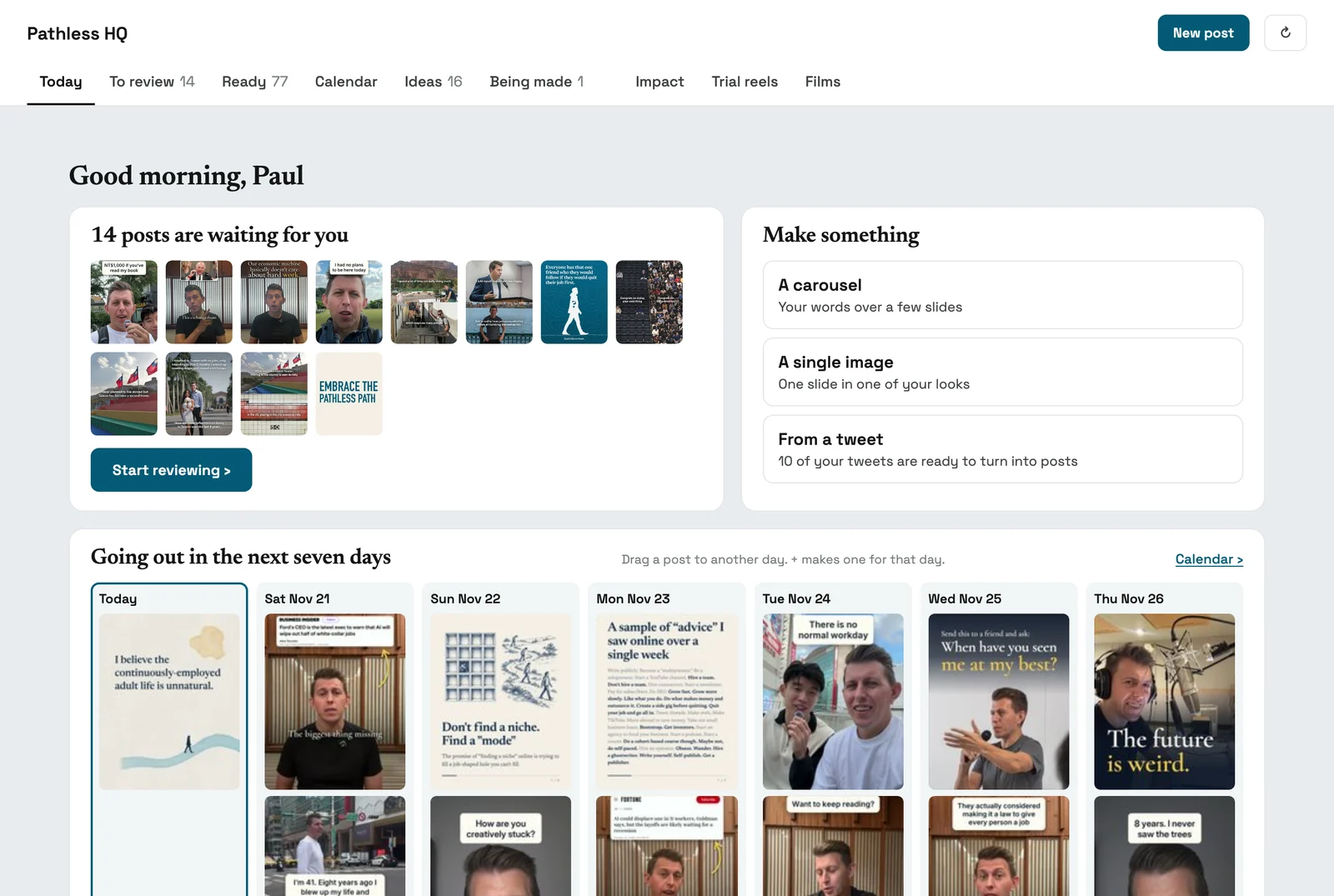
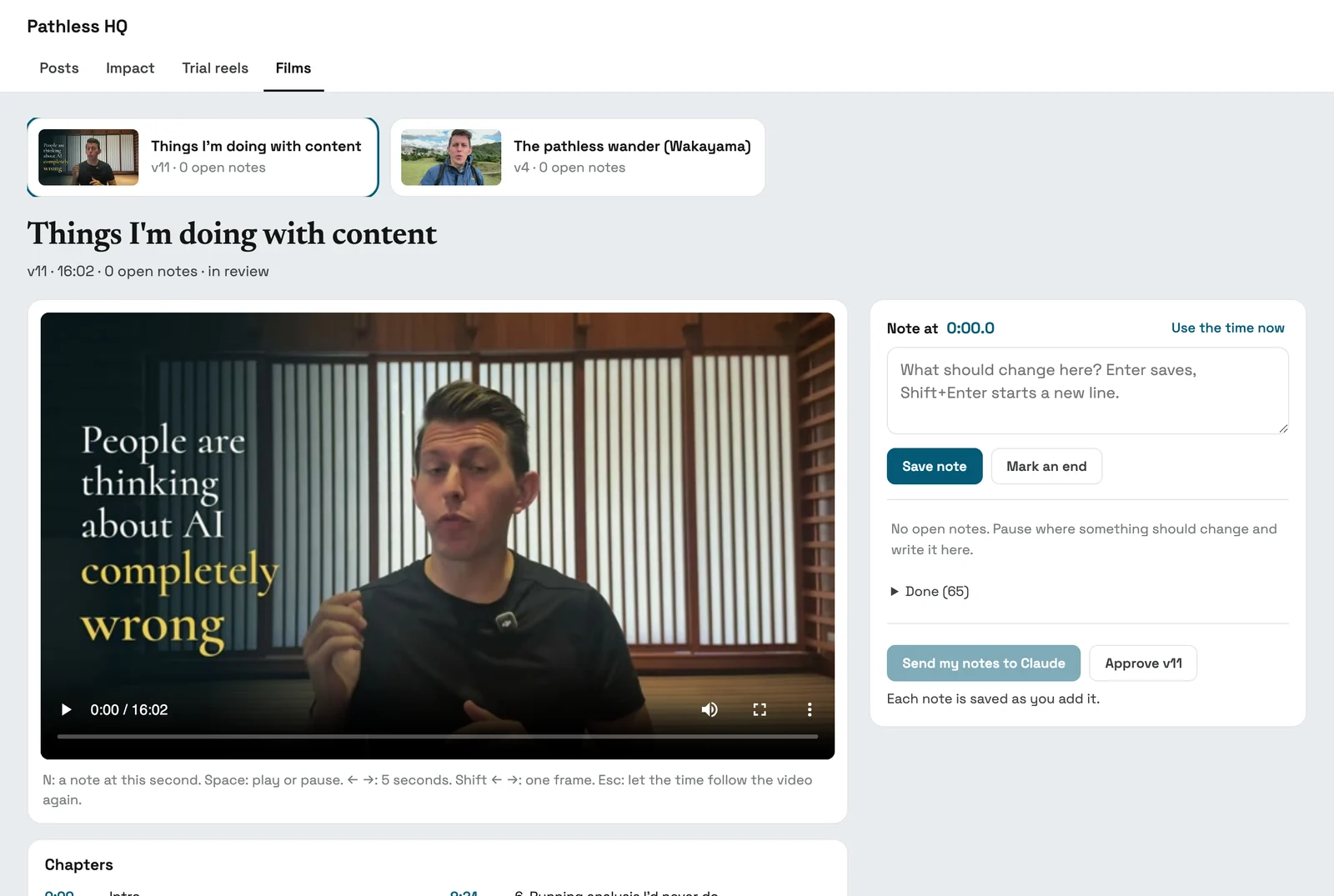
There’s also a review dash, which is where things go after I’ve given direction to Claude. From there I can click in and make edits. I can send feedback back to Claude if it needs to remake a video or a render or make changes. For carousels, I can click in and edit the text directly, move slides around into a different order, and change the date it’s going to publish.
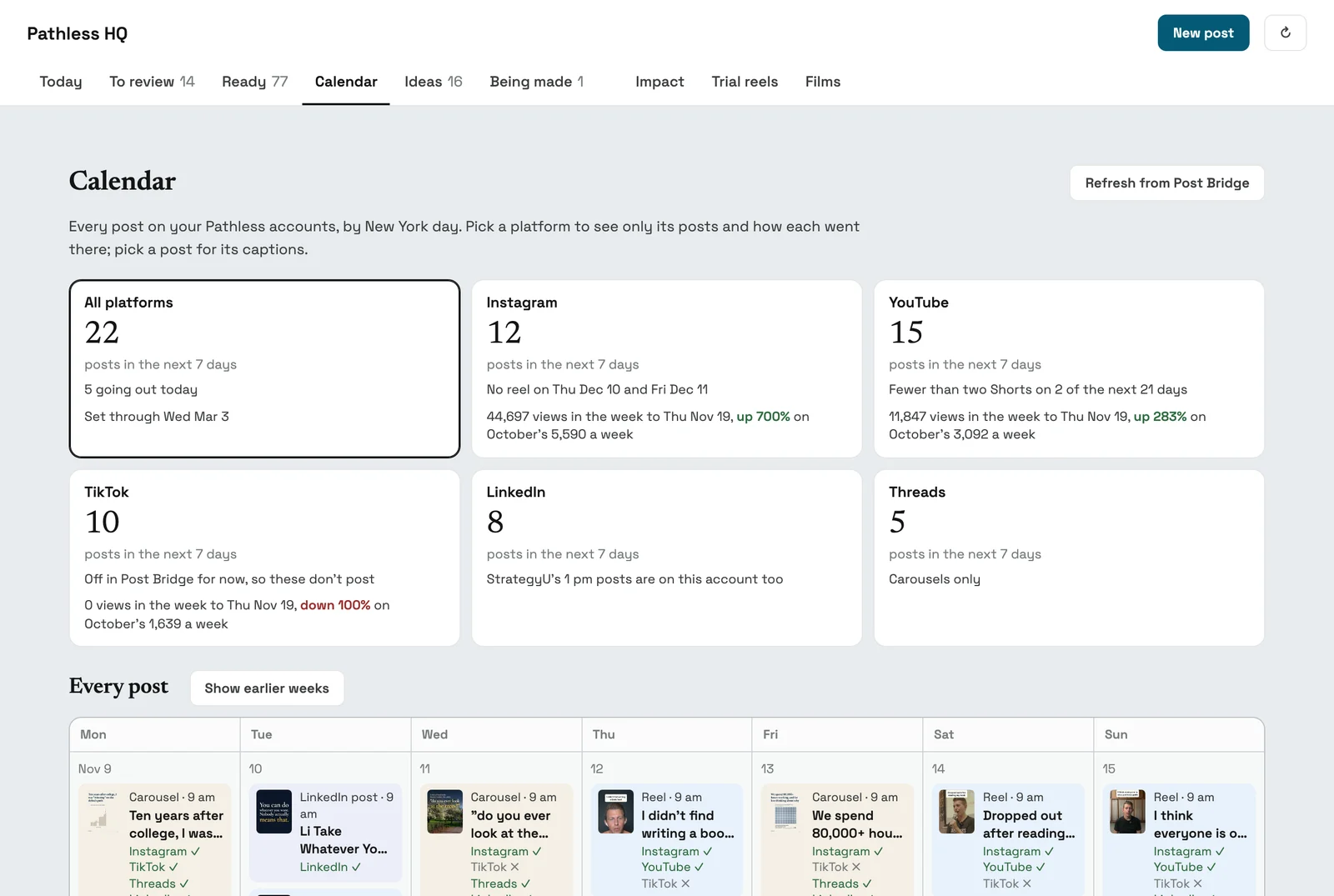
I also have visibility into when things are publishing. This works with Post Bridge, and I can see a calendar of what I’m planning to publish over the coming weeks.
My folders
books, newsletter posts, podcasts, tweets
Raw b-roll library
footage and photos, labeled so Claude can find them
Claude Code
Pathless HQ
my posts
Angie's dashboard
her posts
Films
my long videos
Post Bridge
each post goes on the next open day, at the best time for each platform
Room to iterate
notes on each version, then a new cut from Claude; this film took 11
YouTube
TikTok
Threads
IG Autoreply tool
DMs the link back
Review dash
every reel, carousel and cut lands here before it goes anywhere; my notes, pinned to the second, go back to Claude Code until I approve
3. Developing a strong style point of view
Too many people are defaulting to the defaults of the content these apps are creating. One good prompt I like to tell people to start with is to ask these apps:
Based on what you know about me and my styles, can you create 10 divergent and weird templates for me to create content in?
Another way to do this is to tell the agent:
I don't know what I want to create. Can you give me a range of typography, colors, styles, and overall design aesthetics for me to choose from?
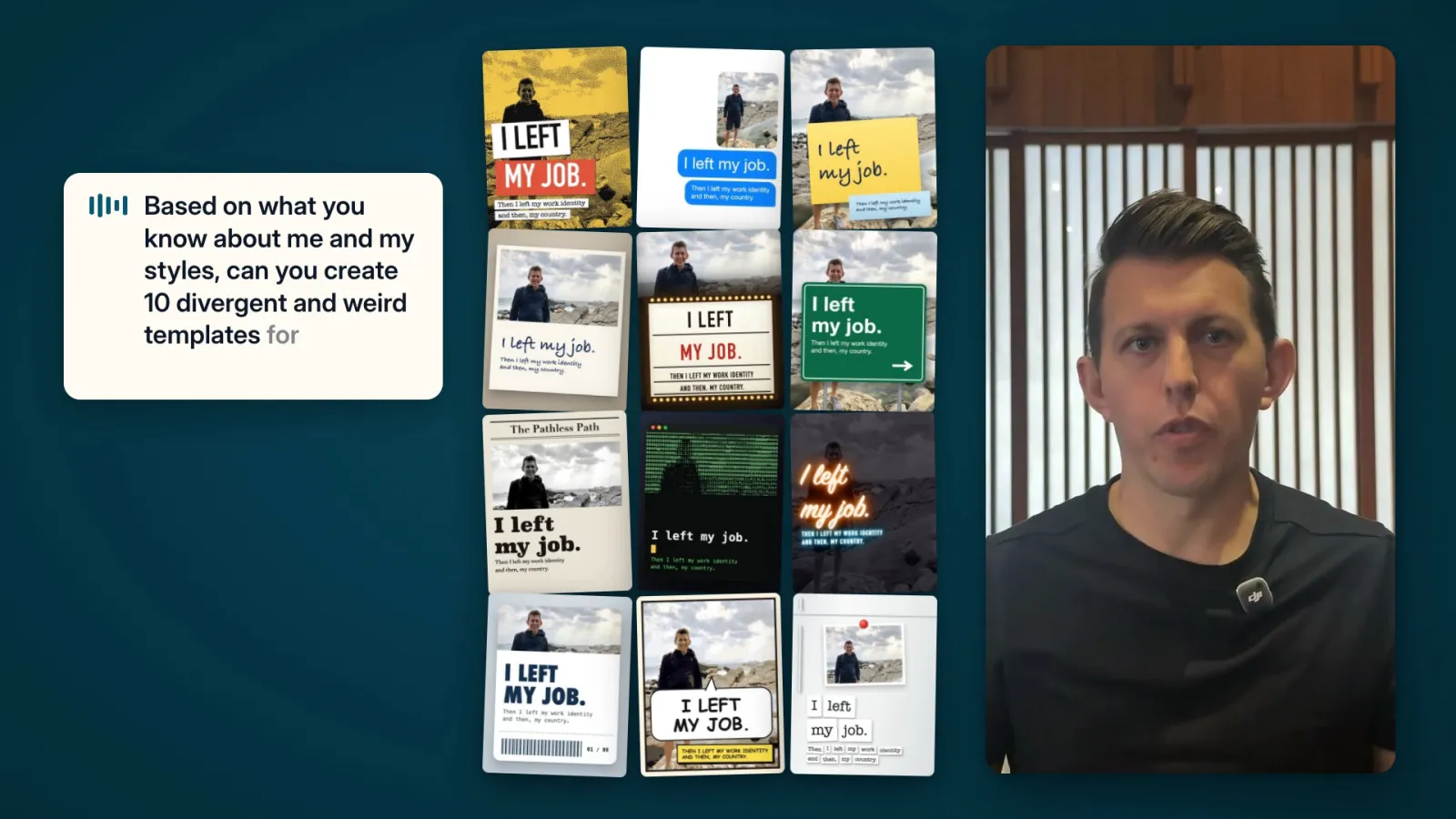
The advantage of doing it with an AI agent is that you can ask for infinite ranges of options. You can say, give me 20 options of each to look through. If you’re not happy with those, ask for 20 more, or 50 more, or 100 more.
The real opportunity of creating with AI is using it as your sparring partner and getting more and more versions, so that once you land on something that actually delights you, you’re like, hell yeah, I actually want to create more.
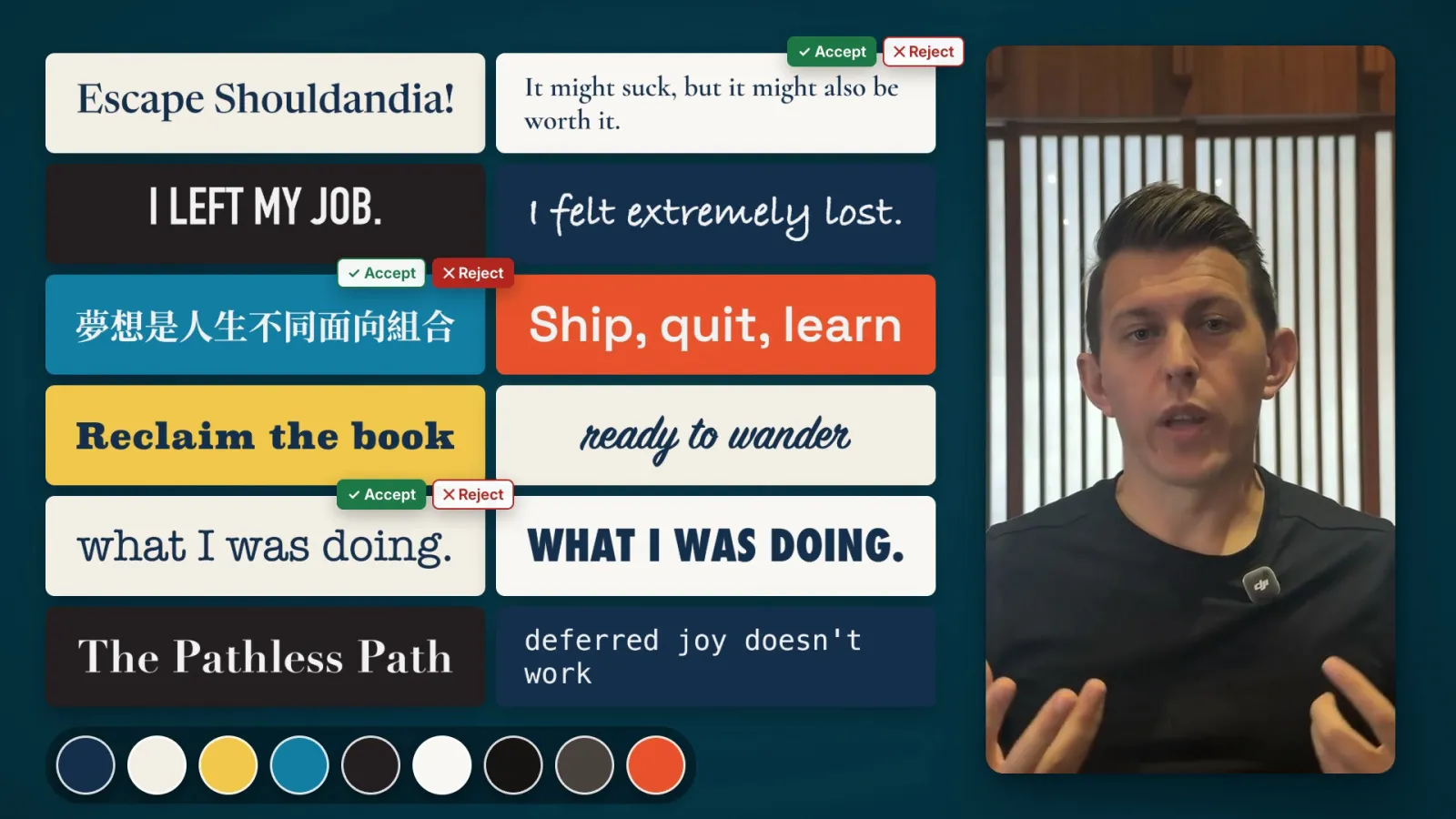
A great way to have it learn your styles is to have it literally go watch content for you. You can point it at creators you like or videos you like and say, go learn this style.
As I started to create more videos and reels, I said: go watch these videos, take screenshots, try to understand what they’re doing, send them back to me, and ask me whether I like them or not. It spins up a dashboard for me, and I can say yes, keep this, don’t do this, and it learns from my styles.
Now, if you want to create your own style, you don’t want to copy exactly. It’s always good to give feedback in a different direction, or to mix and match styles from many different creators. The cool thing about this is that the more you’re making decisions and reacting to things, the more you develop a sense of what you actually like.
4. Shifting the work to my strengths
I’ve always been limited in creating video, mostly because I don’t like video editing. I don’t like using the apps where you edit video. But I actually do enjoy creating a good video, and I find it satisfying. Over the years I’ve created a bunch of videos for YouTube, but it was always a slow and laborious process. Most videos took me about two months working with an editor.
When I design my own dashboard, most of the focus is on editing the writing. A lot of people are still single-shotting this, but I love writing. I love creating. I love playing with different words.
I can also use things I’ve already written and put them in my own words in other formats. In my editor, if I’m writing something like a carousel, the text changes directly on it as I write. I love writing, so I’ve turned creating visual content into a writing exercise.
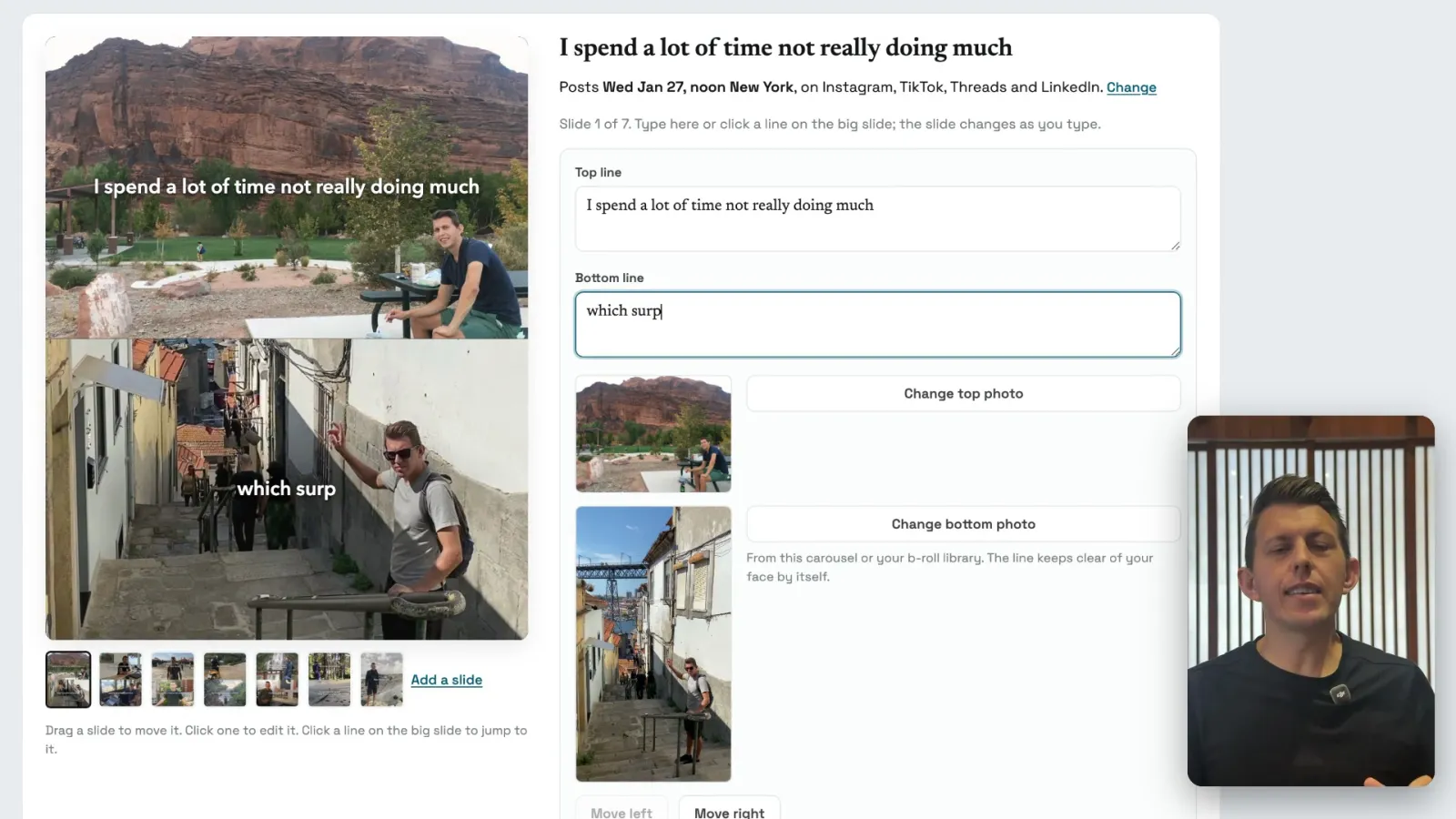
All the other things are done for me. Like I mentioned with the b-roll, it can pull cool b-roll for me without much effort, where in the past that would have been a time-consuming activity of searching, trying to find the right things, and scrolling Google Photos.
5. Turning feedback into rules & systems
I have an instruction for my video editing, my photo creation, and any social content or other creation I’m doing, which says:
Every time we work together, learn from what we're doing and add updated rules based on my feedback.
So every time I go in, it gets better and easier to use, because it understands my preferences.
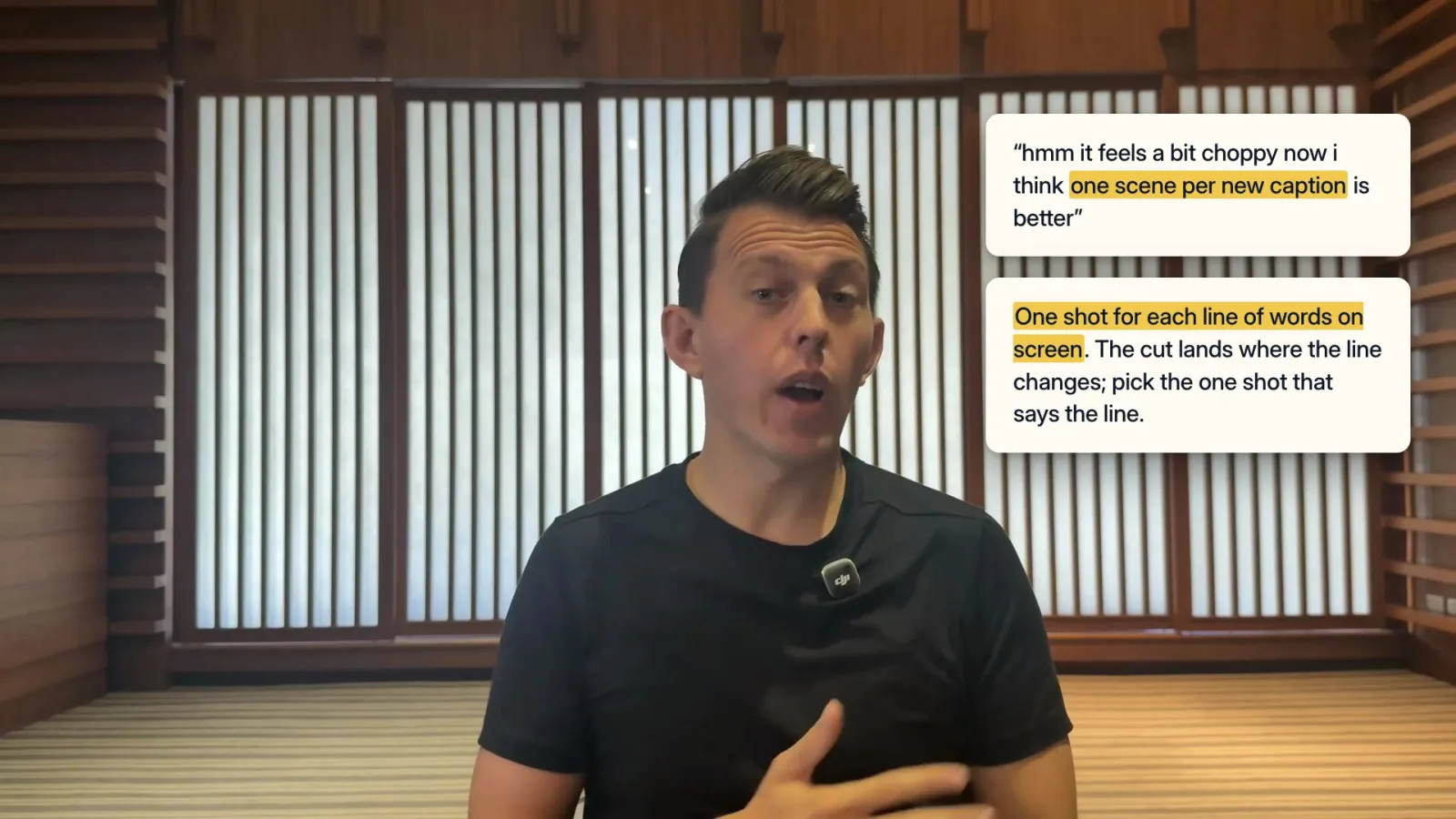
This has only started to get really good in a tangible way, where you can actually feel, oh, this is learning from me. Previous models, probably before about June 2026, weren’t really good at this. It was more like working with an intern who never wanted to follow your instructions, whereas the latest models are like a really smart senior consultant or senior associate who totally understands what you’re asking for and implements it, no worries, on future iterations.
This is very satisfying, because it shifts your experience from trying to micromanage to feeling like you have thought partnership, and you’re able to create more things, which helps you see more possibilities for creation.
6. Running analysis I’d never do
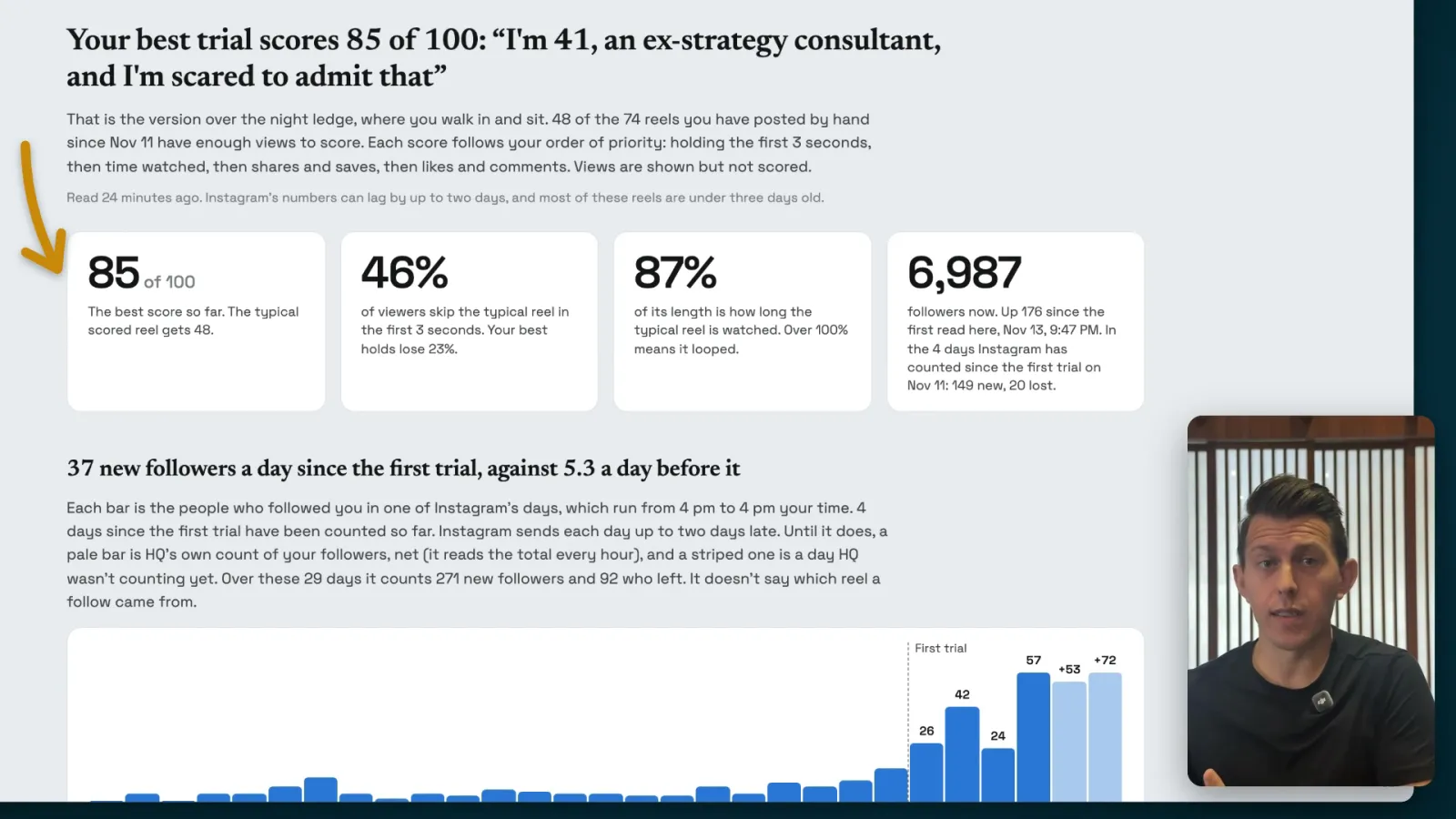
As I started creating more video content, I had it pull all the analytics for my videos and figure out what’s working and what’s not. Based on information about the public algorithms, it helped me score different things based on how content actually works. This has given me a completely different lens for creating things like videos.
For example, in the past I always looked at likes and comments, but it turns out that with video you want to notice what people are sharing, what they’re saving, and what they’re reposting. Because I’m an independent, self-employed creator without a team, I didn’t have the time or resources to spend a full day or two pulling all this data, doing the analysis and then tracking it. Now it’s automatic. It’s built into my dashboard, so I can see how things are doing, and whether I should keep investing in this or keep doing these things.
7. Starting with the finished product
Create the finished product first and then work backward. This has been a huge unlock for video, because I like to react to things and see how they’re going to look. As a writer, the writing is almost always done. You’re always in rewriting mode, because you’re looking at the finished product, a block of writing.
Video is different. You’re editing and creating and aiming toward a finished product. But with AI, I’ve worked with it to spin up finished videos with motion graphics, words, overlays, and empty spots where I’ll fill in video later. I did this with a video I was creating about the story of the last five years of The Pathless Path. It created a script for me, and then I knew, okay, now I need to go record these four different parts.
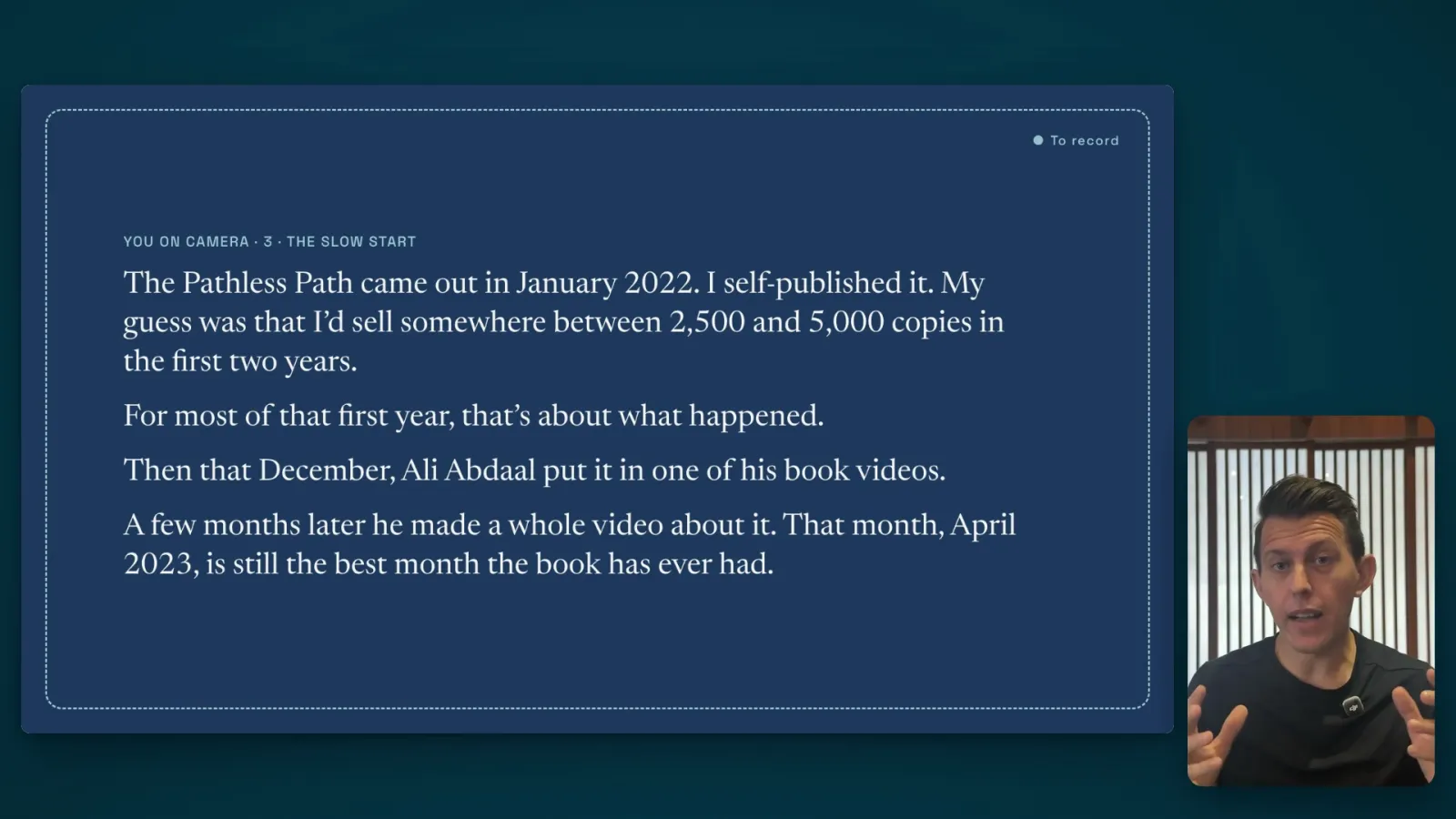
I may go out and record video and it’s slightly different, but working within a framework, I know what the finished product is going to look like, and I can slot in these easy speaking parts. In the past, I would shoot raw video and then edit it. The problem with that is that once you have the finished product, you see all these gaps and holes and things you wish you’d done.
8. Abstracting away the complexity
I was often held back from doing more things because it involved switching between different kinds of software and different modes of working, and trying to pull together many different tools. I’ve dabbled with both audio and video, but there are many different apps and tools you need to use. You might need DaVinci to edit a video, then Audacity to clean up the audio, then Premiere Pro to synchronize the audio and video, and then there’s another tool like iZotope that helps you fix broken audio.
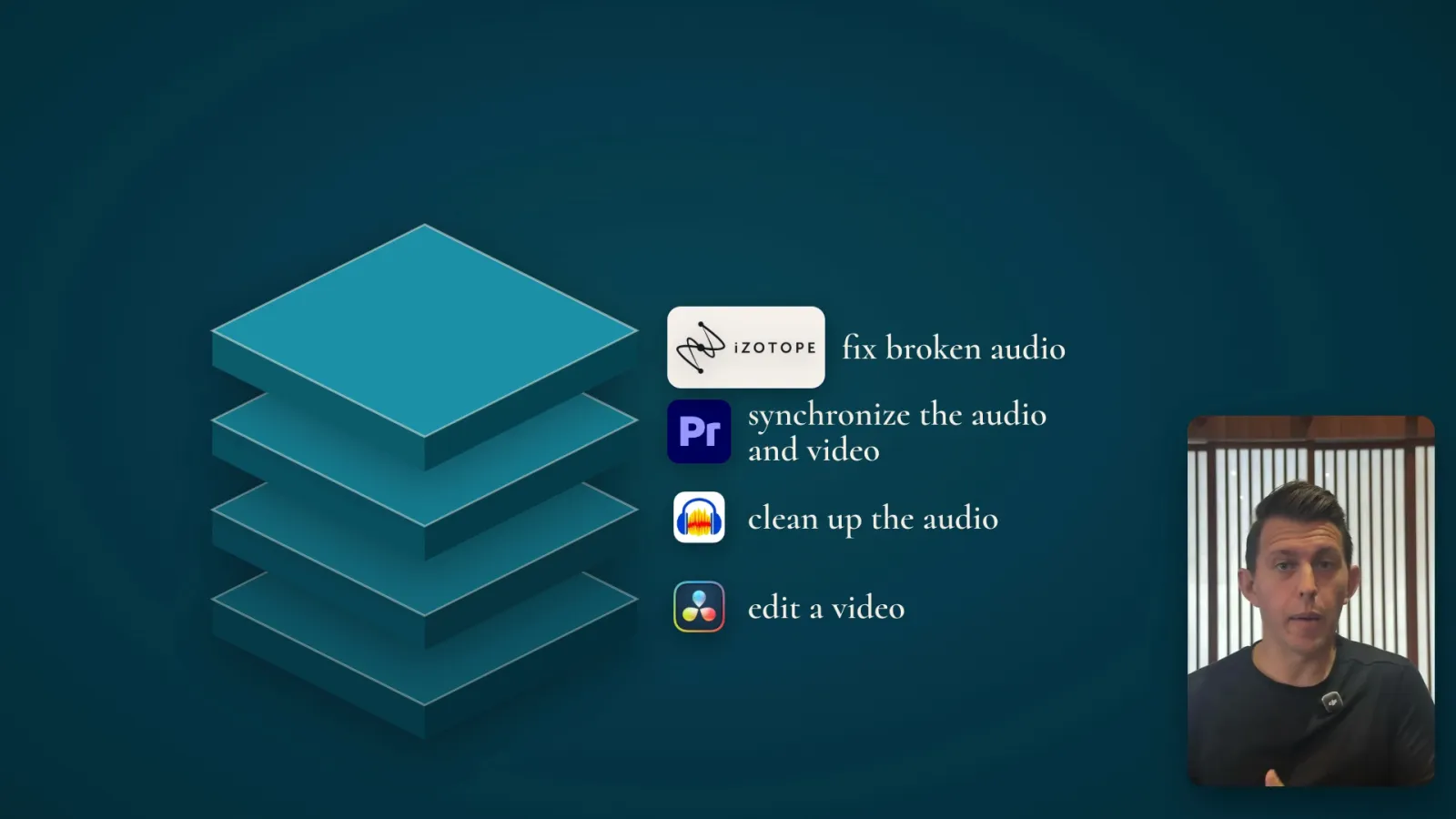
In the past I’d go into those apps and lose all momentum, or be totally drained after working with them. Now I’m able to create video because I’ve abstracted away many of those things. Video editing, especially early cuts, is done by Claude now.
There are so many free tools and libraries now that you can subtract away a lot of this work. The limits on creation are now coming up with ideas, sitting down and shooting them, and then spending a lot of time polishing the design and style, which are all way more fun for me. I can go out with a camera, record a bunch of random takes, ship all the videos over to Claude and say:
Figure out what I have, see if there are any good videos here, and chop it up into an initial A-cut.
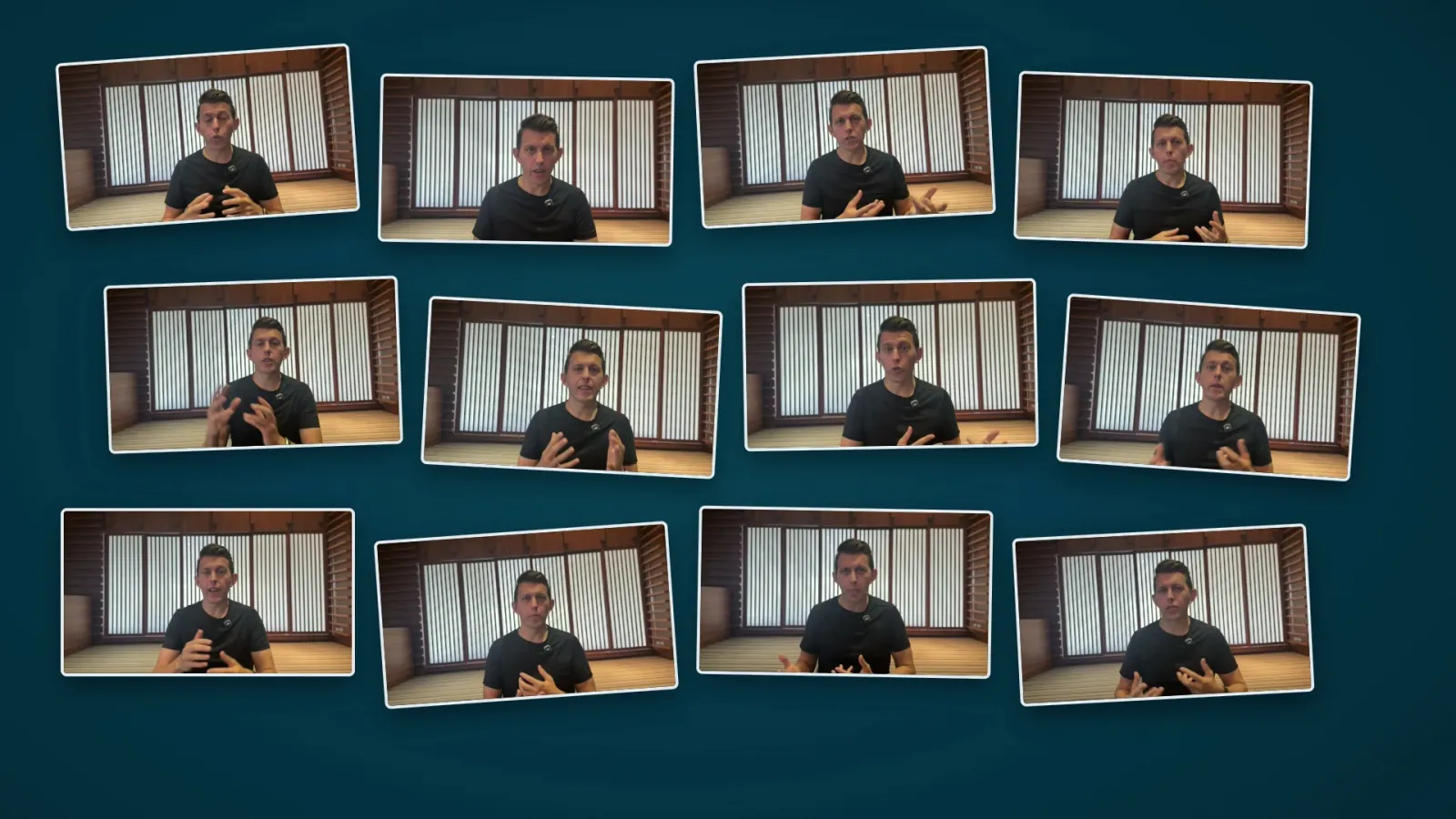
The first time I did it, I was so blown away that I went out and got some better equipment to film video, like a DJI mic and a DJI gimbal. I guess I’m a YouTuber now.
9. Accelerated personal learning
I’ve probably learned more about video editing working with AI than I ever did trying to hack it on my own. This is because you’re moving a lot faster, you have a lot more things to react to, and you’re forced to make many more choices about what you really want.
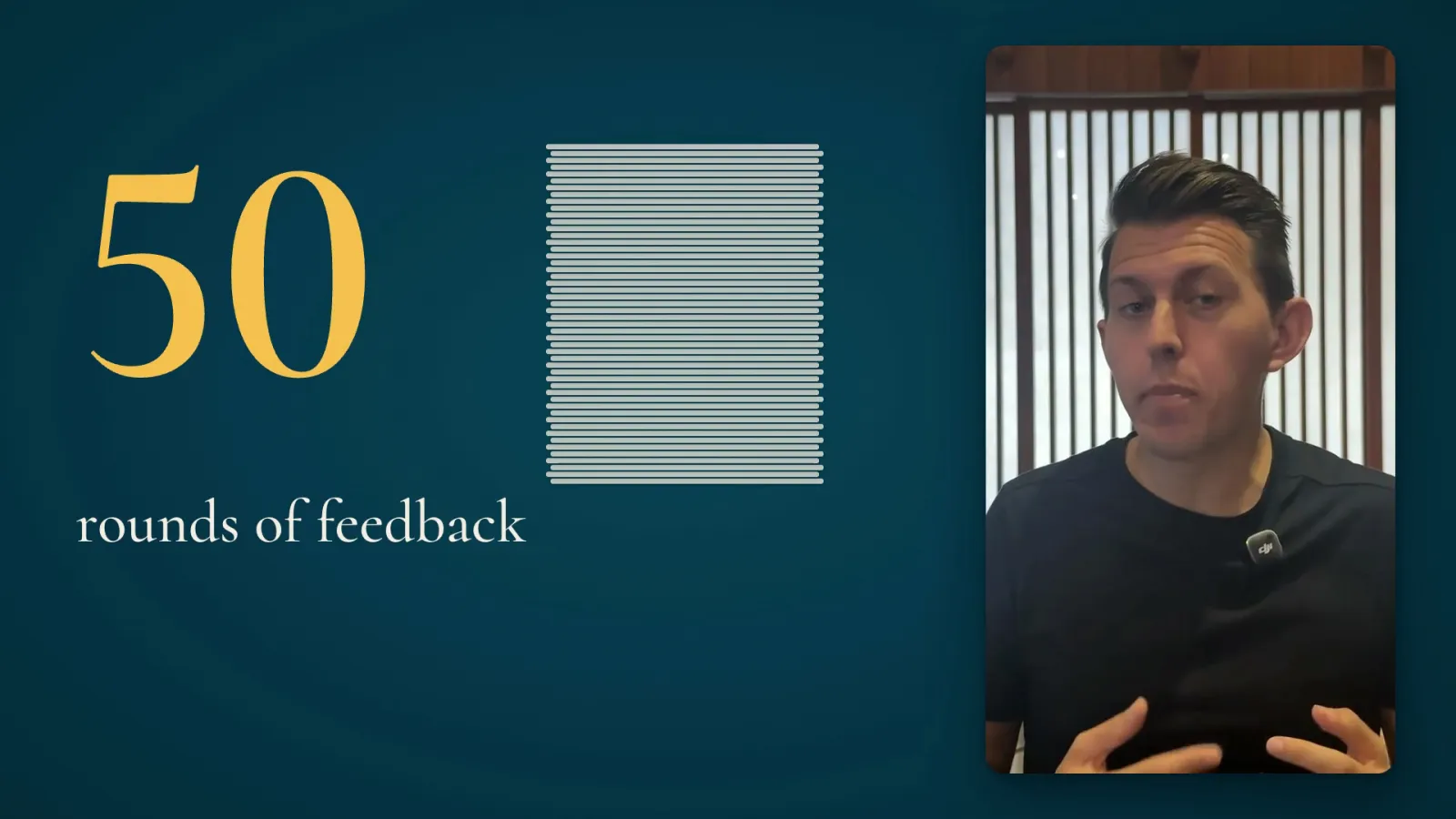
With a real editor, I could probably give a few comments per round of feedback, but with AI I can do about 50 rounds of feedback on a single video and learn way more about what I actually want than I might in three revisions with a human editor. You’re just not going to have a human editor do 50 revisions, because they’ll fire you, or they’ll just say no. I’ve actually been fired by video editors before.
Final thoughts
I love creating, and I love doing it in different modes. I’ve always wanted to do video, but I’ve always been held back by limited resources, mainly time and money. With the time, I’d rather be writing than spending hundreds of hours doing video editing on my own.
On the resources, in the past I didn’t have the budget to hire the right people who are excellent at video editing. So now I’m learning and developing those skills on my own and leveling up fast.
It’s still so early with these tools, but my message to other creatives would be: try to create something you haven’t created before. Push the edge of your own frontier. Too many creatives are still locked into the idea that these models and tools are stealing content from creatives.
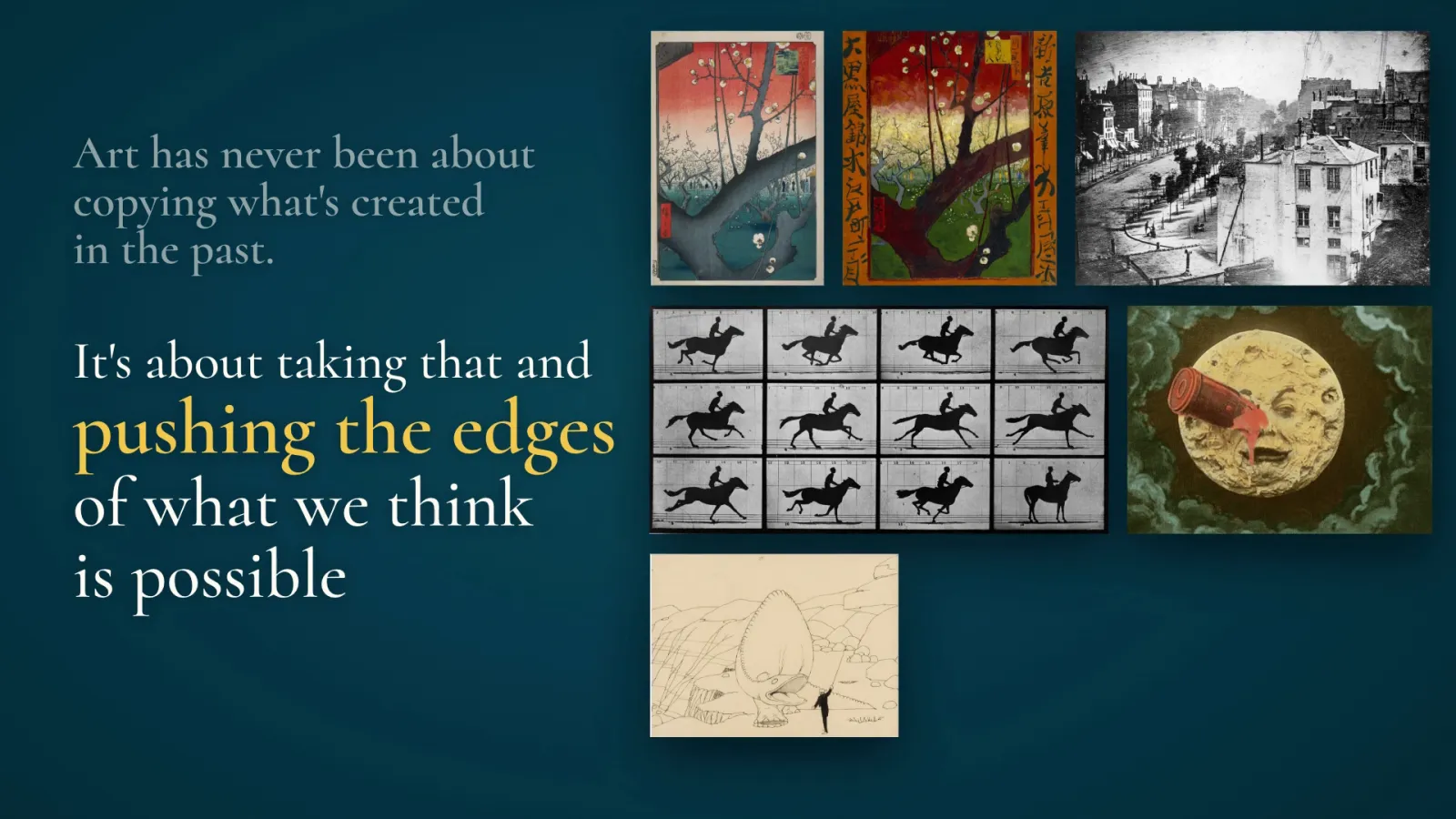
They have absorbed enormous context from the whole creative corpus of humankind, but art has never been about copying what’s been created in the past. It’s about taking that and pushing the edges of what we think is possible and what we think the world needs to see, and doing new kinds of work with new kinds of tools.
Get the prompt and the skill
Enter your email and you'll get a prompt and a skill built on my video reel approach, which you can install in Claude Code or Codex.
Signing up adds you to my newsletter.
Download the skill, then paste this prompt into Claude Code or Codex to install it.
Install the video-reels skill for me, then start it.

1. Get the skill. If I already downloaded video-reels-skill.zip, it's probably in my Downloads folder. If not, download it from https://pmillerd.com/downloads/video-reels-skill.zip
2. Unzip it into a new, empty folder. It holds one folder, `video-reels`. Read every file in it before you install it, and tell me if anything looks wrong.
3. Copy the `video-reels` folder into your skills folder: `~/.claude/skills/` for Claude Code, or `~/.codex/skills/` for Codex (or wherever your version reads skills from). If a `video-reels` folder is already there, ask me before replacing it.
4. Read `video-reels/SKILL.md`. If the skill only loads after a restart, read it directly and carry on.
5. Start with the interview in `references/interview.md`. Ask me a few questions at a time. Don't install tools, download anything, read my folders or build the dash until we've finished the interview and I've confirmed my profile.